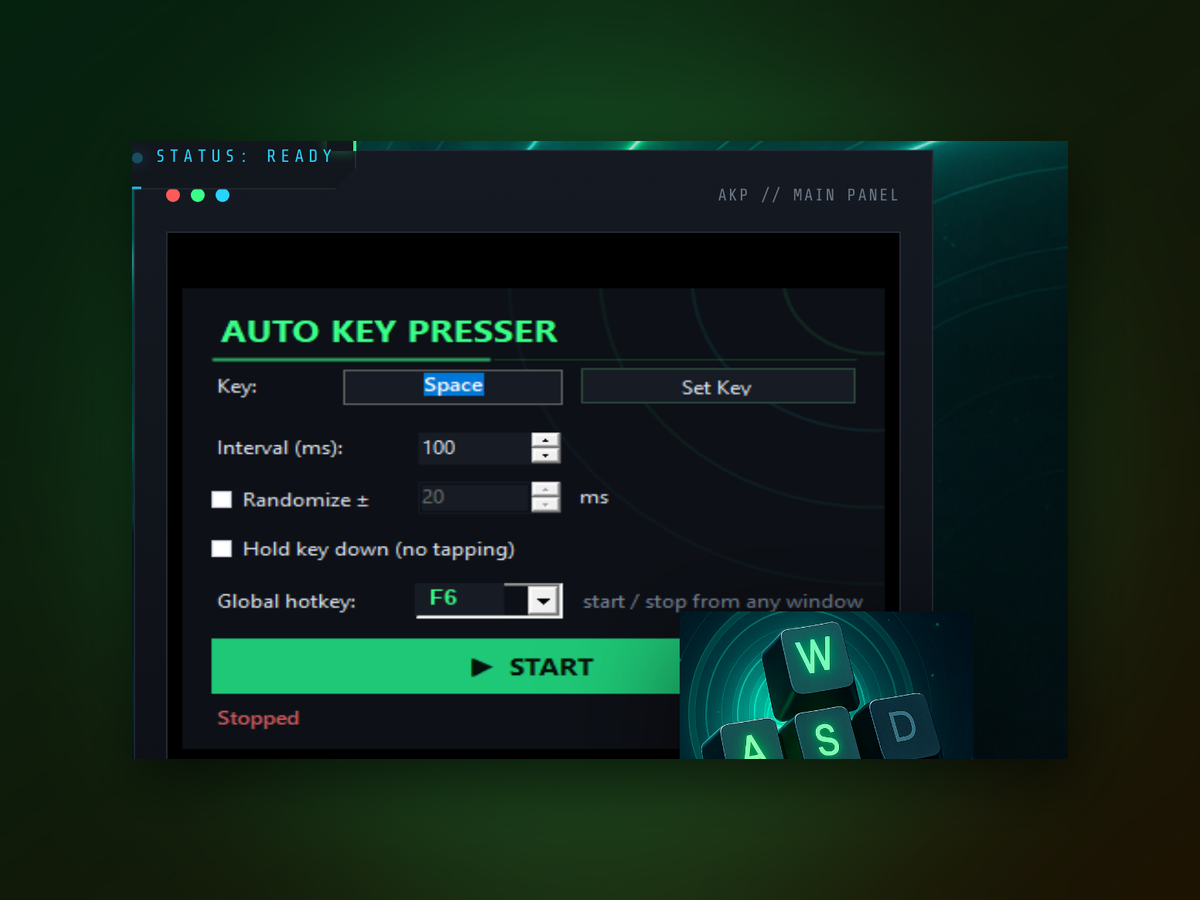
Automate keyboard input with hotkeys or scheduled timing. No complex macro languages—just pick your key, set the trigger, and let it run. Works across any Windows application.
It cuts out repetition, saves time, and runs exactly when you need it—on demand or by the clock.
You'll be automating keypresses within minutes.
Yes. It works in most games that accept standard keyboard input. Some anti-cheat systems may block it—check your game's policy before using automation tools.
Hit your hotkey again to toggle it off, or disable it from the main window. You can also set a maximum duration so automation stops automatically.
No. Auto Keypress is designed to be lightweight and runs with minimal CPU usage, even during continuous automation.
Auto Keypress focuses on single-key automation. For complex multi-key sequences, you can create multiple instances or use timing gaps between keypresses.
The tool respects system-level keyboard timing. Very rapid repeat rates may hit OS limits, but standard automation speeds work reliably.
No. Auto Keypress runs standalone on Windows with no dependencies or prerequisites. Download and run.
It works best with local Windows machines. Behavior on remote sessions depends on your connection and RDP settings.

Auto Keypress handles repetitive key presses reliably, whether you're automating form entry, gaming inputs, or text input sequences. It works seamlessly with any window—no special configuration required.
Compare it head-to-head with other automation approaches.
Download Auto Keypress now and reclaim the time you spend on repetitive key presses.
Download for Windows